Drive
A private cloud that lives in your house.
Drive turns a single small server at home into private storage for a whole family — files on every device and a media library with multiple subtitle and audio tracks, streamed straight over the home network. One codebase, three apps: TV, mobile and desktop.
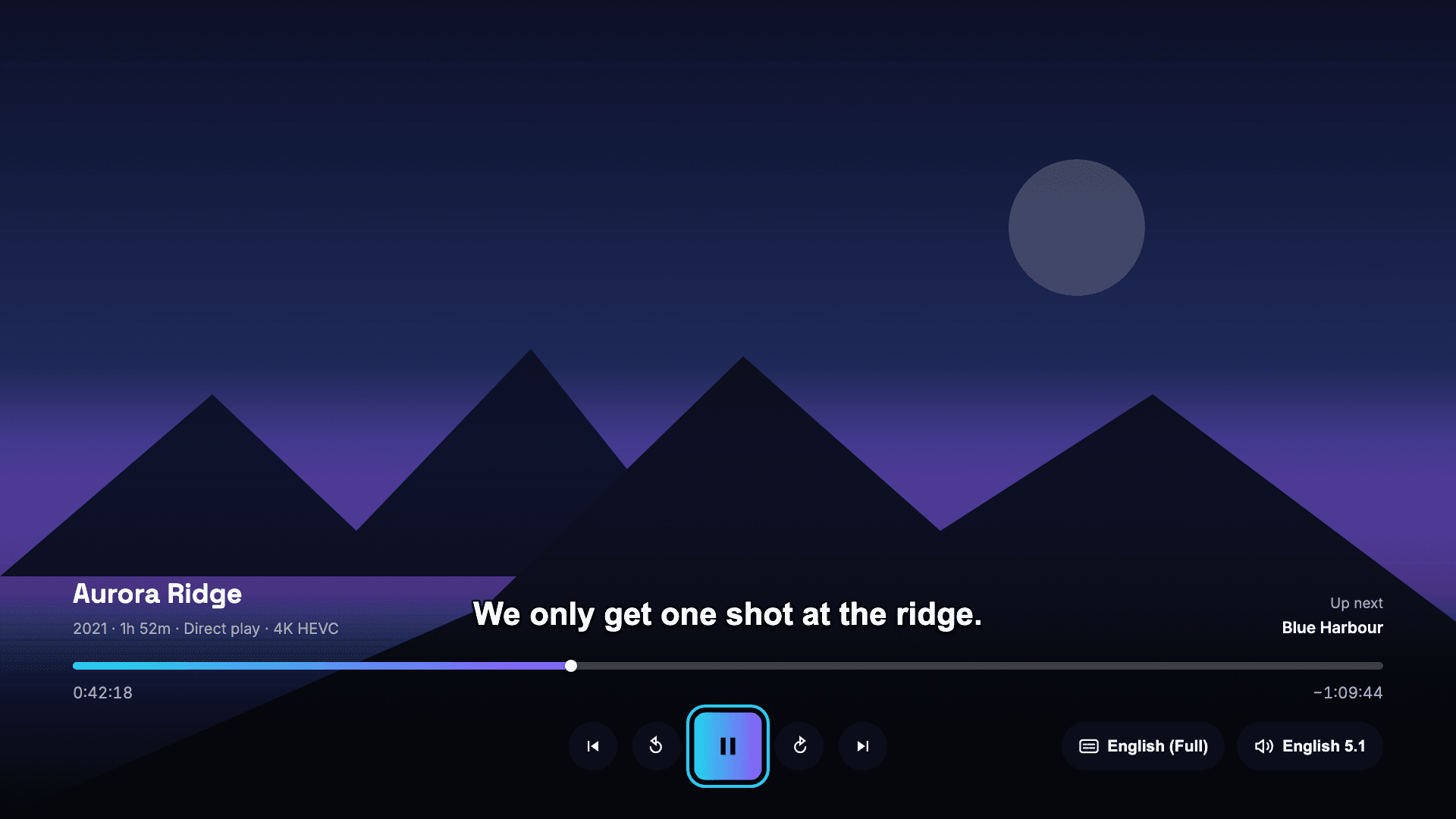
Screens shown throughout use a demo library — invented titles and generated artwork, not a real collection.
What is Drive?
It is a private cloud for one household. A small, low-power server sits in the house with a disk attached to it. Everything the family stores — photos off a phone, documents, home videos, a media library — lives on that disk, and three apps put it on every screen they own.
The point is not to rebuild a big consumer cloud. It is to get the parts a household actually uses — drop a file in from your phone and open it on a laptop; sit down and watch something on the TV — while the files stay on hardware you can physically point at.
We designed, built and ship it ourselves, across four platforms, from a single TypeScript codebase.
Watching
A player that respects the file
Most of what makes a media app feel good is track handling and never getting in the way.
Multiple subtitle tracks
Every subtitle track embedded in a file is offered by name — full, SDH, and each translation. Switch mid-scene without restarting, or turn captions off entirely. The choice is remembered per device, so one person turning subtitles off does not change anyone else’s screen.
Multiple audio tracks
Pick a different language, a stereo downmix instead of 5.1, or a commentary track. On TV and in the browser the swap happens on the track already playing — no reload, no seek, no losing your place, and the subtitle you had on stays on.
Resume anywhere
Start on the TV, finish on your phone. Position is kept per person per title, so the Continue watching row is genuinely yours and not a mix of whatever the household last opened.
Honest playback status
The player says out loud how it is playing — original file, or being converted on the fly. When a file needs converting you are told which file and why, instead of being left to wonder why it stutters.
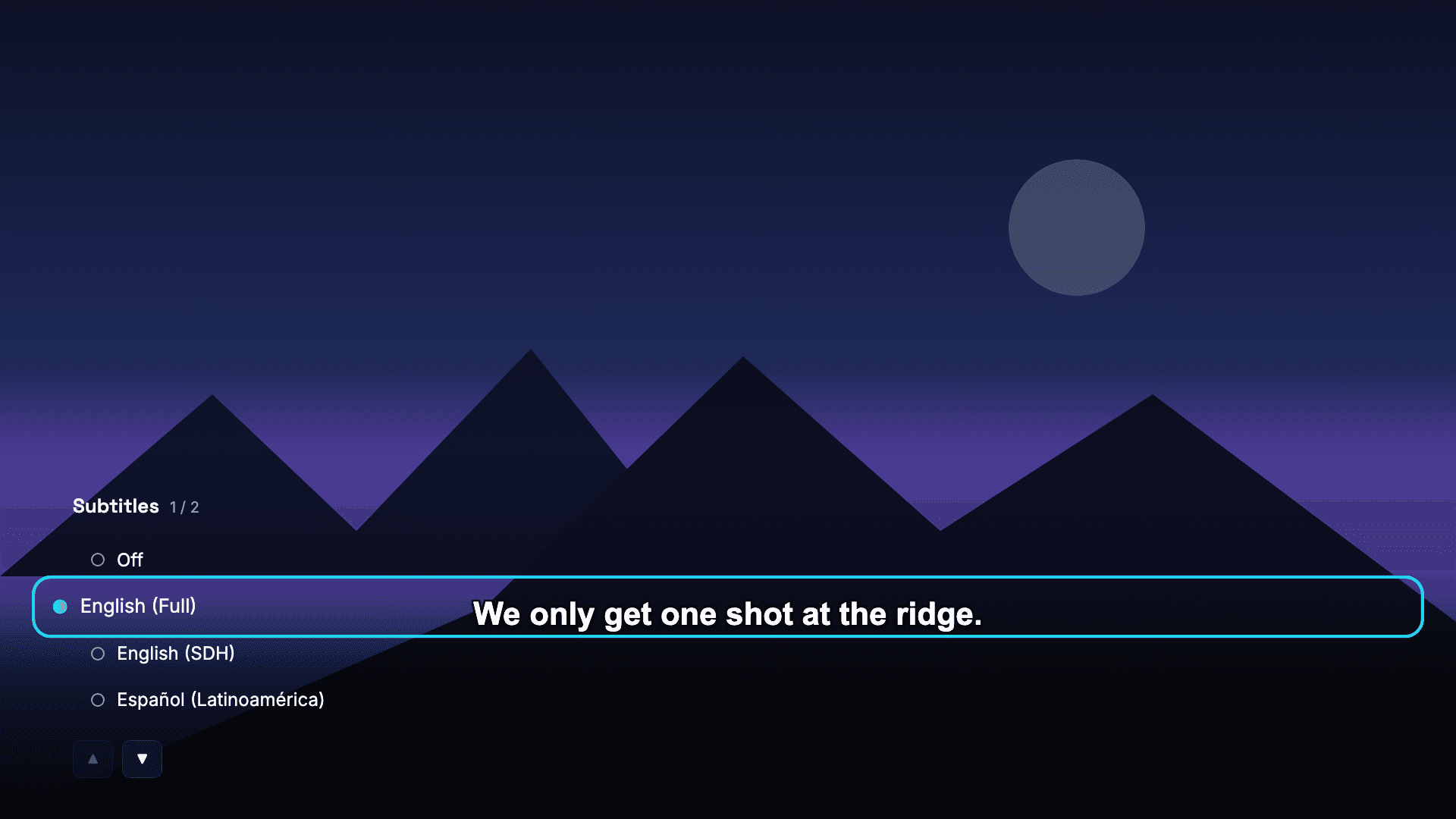
TV — every embedded subtitle track, by name
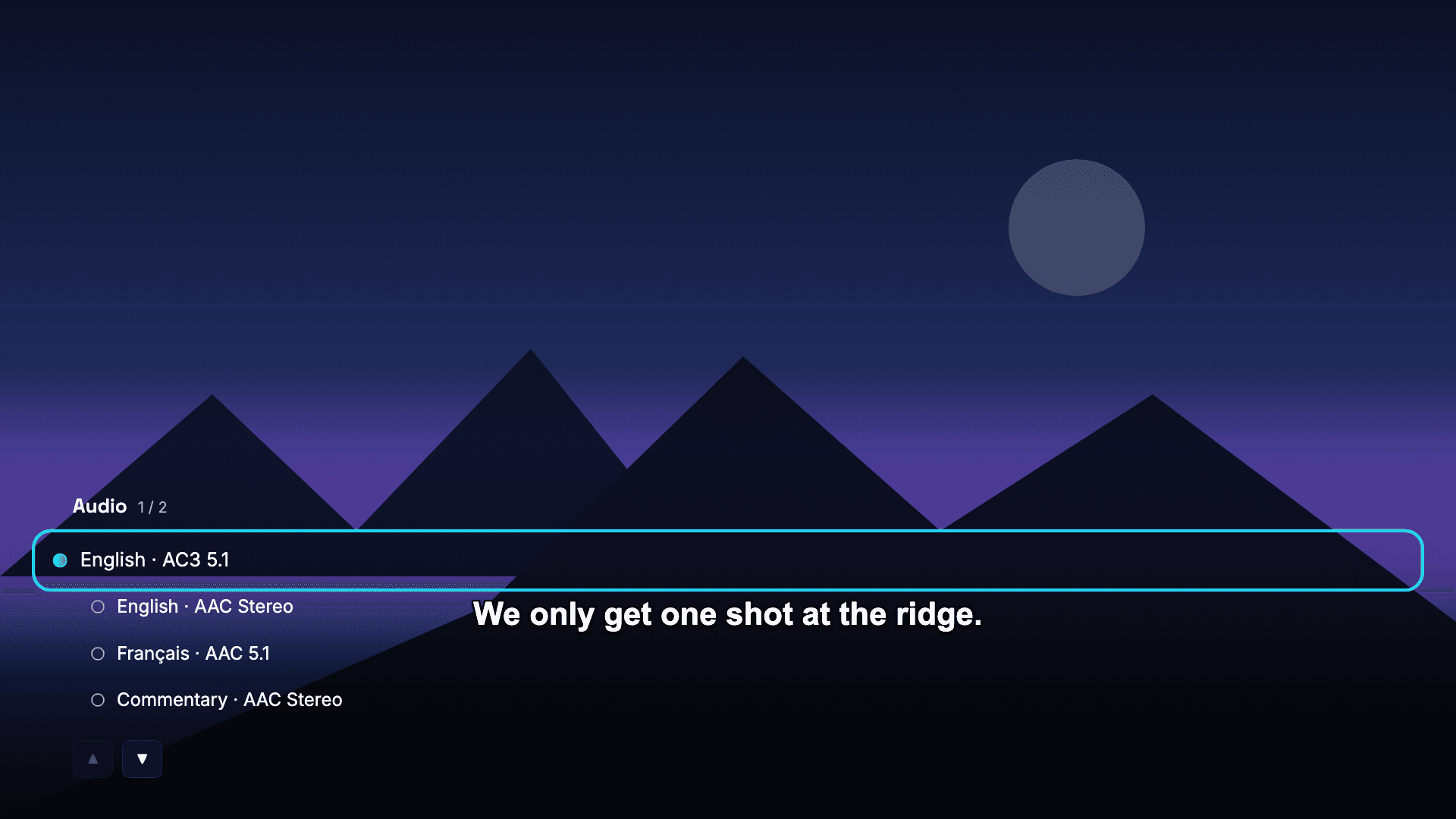
TV — audio tracks swap without a reload
Speed
Fast on your own network
The single biggest performance decision in the product: get off the internet whenever the drive is in the same building.
Local-first, with a stopwatch
On connect, the apps race a local-network address against the remote one and take the local path the moment it answers. The probe is time-boxed to a couple of seconds, so a phone that is out of the house is not left waiting — it just uses the remote path and carries on.
Play the original bytes
The server is small and deliberately has nothing to spare, so the apps declare exactly which formats they can play and take the file untouched whenever that is possible. Nothing is re-encoded in the middle, video starts instantly, and the machine stays free for everything else it runs.
Uploads at wire speed
The same local path carries file transfers, not just video. A phone backing up a folder of 4K clips at home is limited by the disk and the cable, not by an upstream connection — and the same app still works, more slowly, from anywhere else.
Apps
One codebase, three very different apps
Logic is shared. Interface is not — a remote, a thumb and a mouse want different products.
TV app
Smart TV · 10-foot UI · remote only
Built for a sofa and a remote: no cursor, no gestures, oversized type and a focus ring you can see across a room. Directional navigation is spatial — every focusable element is a real button, so focus, Enter and screen readers all behave.
Mobile app
iOS · Android · native builds
Camera roll straight into the drive, native downloads back out, and a full-screen player with the same subtitle and audio pickers as the TV. Sensitive actions sit behind the phone’s own biometric prompt.
Web app
Desktop & tablet browsers
The dense one: a sortable file table with multi-select, bulk move and delete, drag-and-drop upload, inline preview, and an admin view for members, storage and server health.
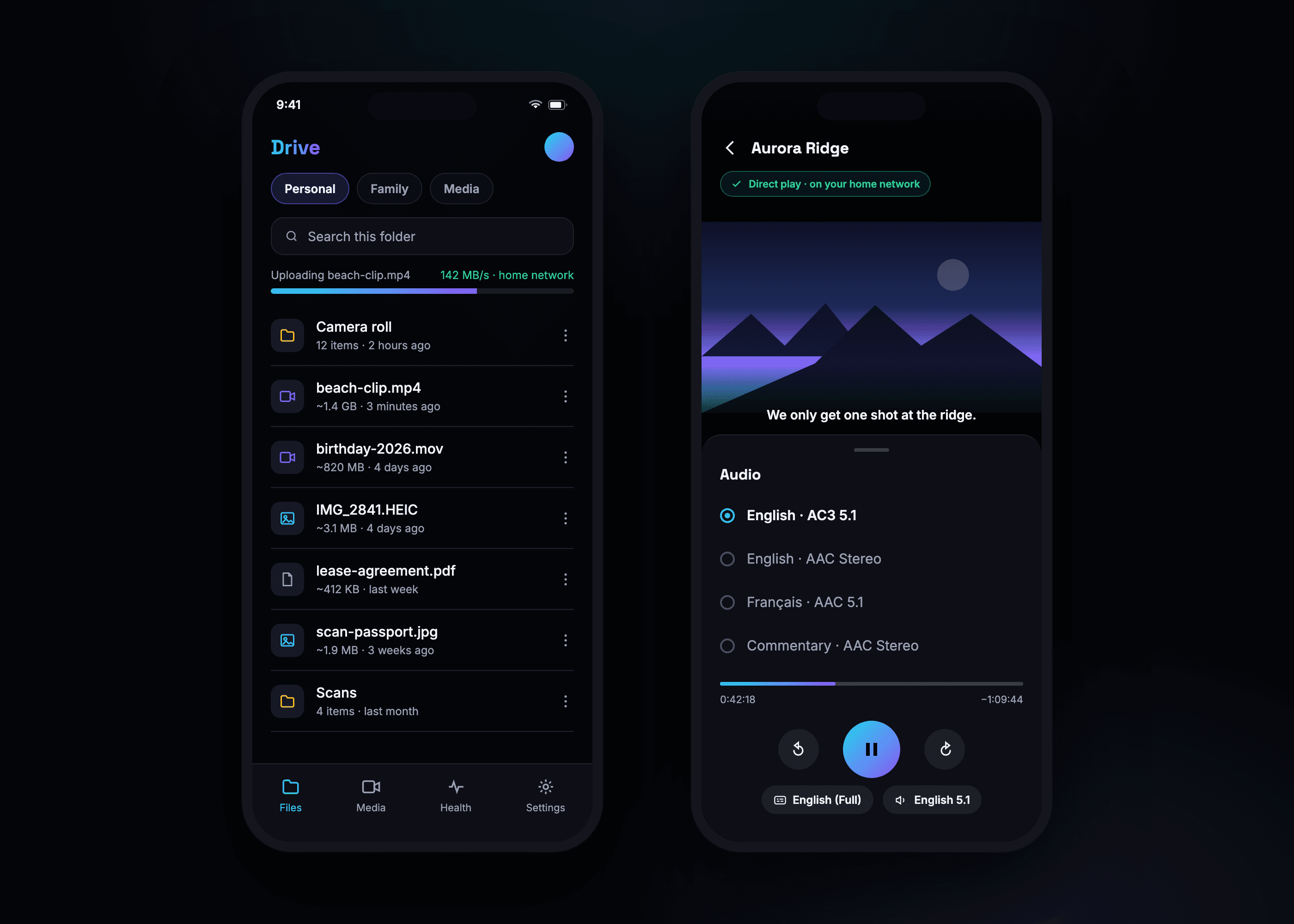
Mobile — upload from the phone, watch on the phone
Files
Every device, one folder
The drive half of the product: the same real files, reachable however you happen to be sitting.
From your phone
Upload straight from the camera roll, download back out to the phone’s own Files app, and preview images, PDFs and audio without leaving the app.
From a desktop
A sortable table with search, multi-select, bulk move and delete, drag-and-drop upload, breadcrumbs and inline preview — a file manager, not a list.
Separate spaces
Personal, shared family and media areas are distinct, so backing up your phone does not dump a thousand photos into what everyone else sees.
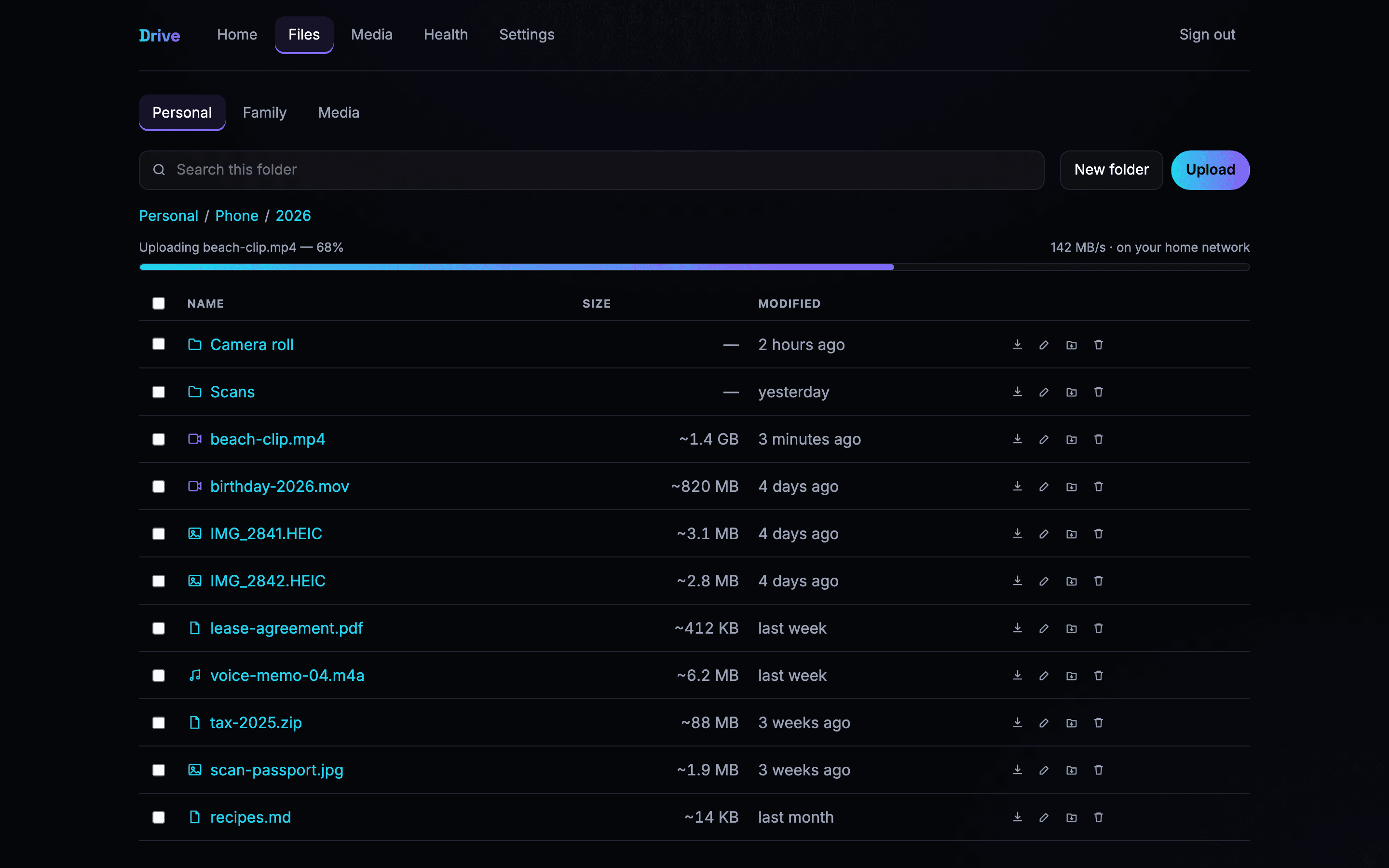
Web — files, with an upload running
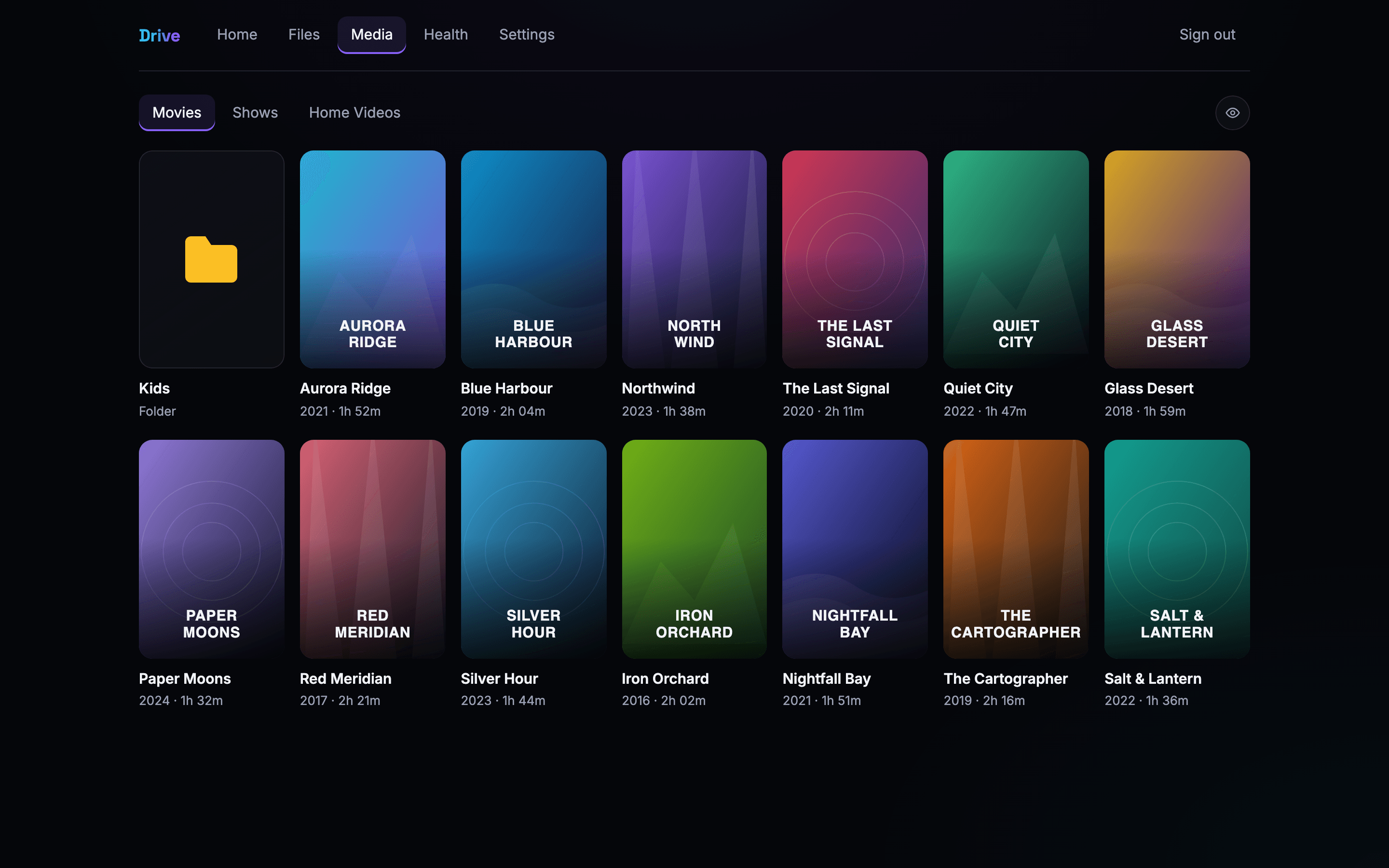
Web — the media library
For a household
Made for people who share a home, not an org chart
A family drive has requirements a business drive does not.
Per-person visibility
An adult can hide an individual title, or a whole show, from one person, several people, or every non-admin account. It is enforced on the server for browsing, search and playback — not a checkbox the app pretends to honour.
A TV a child can use
The TV app is the whole interface: a home row, libraries, and a player. There is nothing to configure from the sofa, and the settings that matter sit behind a lock.
It tells you when it is unwell
A health view reports temperature, storage, uptime and power state in plain language — so a slow evening has an explanation instead of turning into a mystery.
Nothing leaves the house
There is no third-party account in the path and no usage data sent anywhere. What the household stores stays on the household’s own disk.
On the TV
Ten feet away, one remote
Oversized type, a focus ring visible across a room, and directional navigation that never traps you.
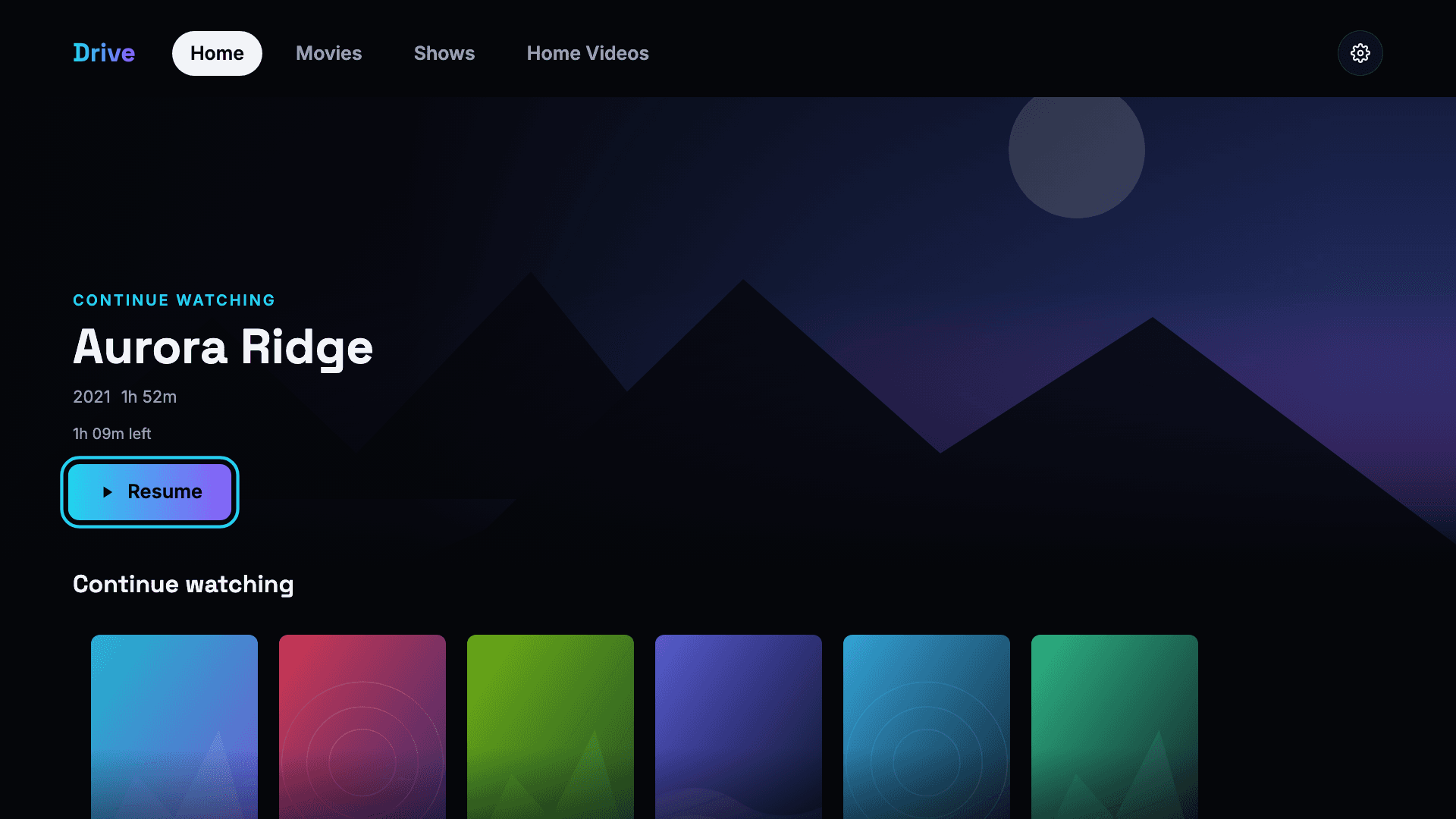
TV — Continue watching, built for a remote
How it is built
One monorepo, TypeScript throughout. React for the web and TV apps, React Native for iOS and Android, and shared libraries holding the things all three genuinely have in common — playback planning, track selection, formatting, network resolution — with tests around them.
Interface code is deliberately not shared. A remote-driven 10-foot screen, a thumb-driven phone and a mouse-driven desktop want different layouts, different density and different affordances; forcing one component tree across all three would have made every app slightly wrong. What is shared is the part where a bug would be a bug three times over.
The TV build is packaged for smart-TV platforms and for Android TV, each with the codec quirks that platform actually has, rather than the ones its documentation claims.
FAQ
Questions about Drive
What people ask most about the project.
What is Drive?
Drive is a private cloud that runs on a small server in your own home, with three apps in front of it — a TV app, a mobile app for iOS and Android, and a web app for desktop. Files and media live on your own disk rather than in someone else’s data centre.
Does it support multiple subtitles and multiple audio tracks?
Yes. Every subtitle and audio track embedded in a file is listed by name and can be switched while you watch. On TV and in the browser the audio swap happens on the stream that is already playing, so playback never reloads and the active subtitle is not lost.
Why is it fast on the home network?
When the apps start, they race a local-network address against the remote one and use the local path whenever it answers. On the home network the file is then served as-is, with no conversion step in the middle — so a video starts at once and large uploads run at wired speed. Away from home the same apps fall back automatically.
Is Drive live?
Yes. It is in production and in daily use — shipped, versioned and maintained, not a prototype. It is a private deployment rather than a public service, so there is no sign-up and we do not publish where it runs. If you want something like it built for your household or your business, get in touch.
What is it built with?
One TypeScript monorepo: React for the web and TV apps, React Native for iOS and Android, and a shared core library holding the playback, formatting and network logic all three apps depend on. The TV app is packaged for smart-TV platforms as well as Android TV.
Have a world worth building?
Tell us about your game, app, or idea. We'll help you ship it.